Core Concepts
Amphi allows you to build data pipelines with easy drag-and-drop actions. Select and connect components such as inputs, outputs, and transforms to customize your pipelines. Configure each element to best suit your needs!
File Browser
A core component of Jupyterlab is the file browser, where you can access and upload data files and store all your assets, including pipelines. You have the flexibility to download, upload and share pipeline files as you see fit (.ampln files).
Files can be uploaded using the designated button or with the drag-and-drop functionality directly into the file browser.

New Pipeline
You can start a new pipeline in two different ways:
- Right-clicking in the file browser, choose "New Pipeline"
- From the homepage (launcher), clicking on "New Pipeline" in the Amphi category
Pipeline Editor
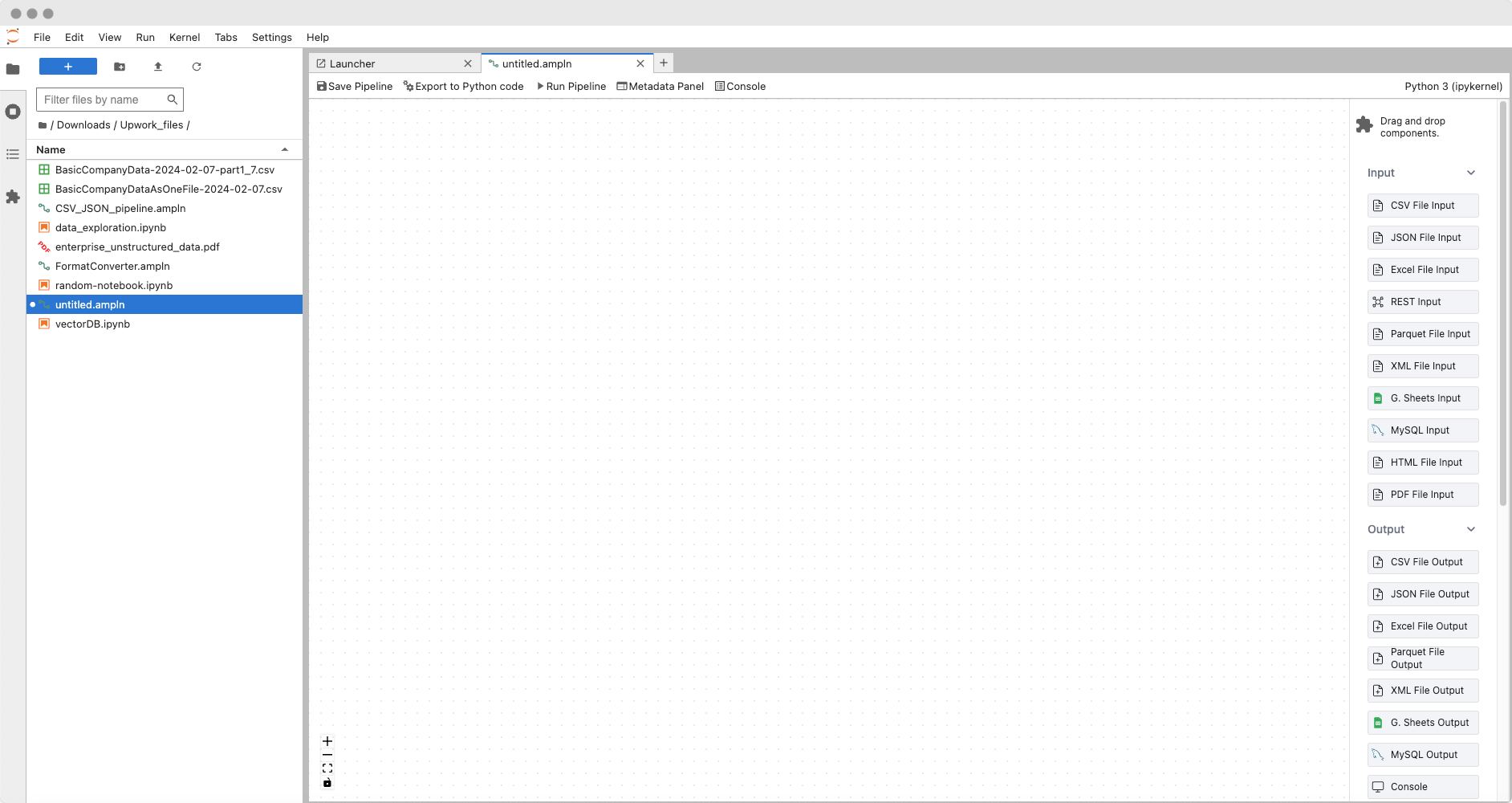
When you create a new pipeline, you land on an empty canvas. The right sidebar offers various components that you can drag and drop onto the canvas. These components include inputs, outputs, transforms, and miscellaneous components serving specific purposes.